Built for Microsoft Teams

Plan projects with
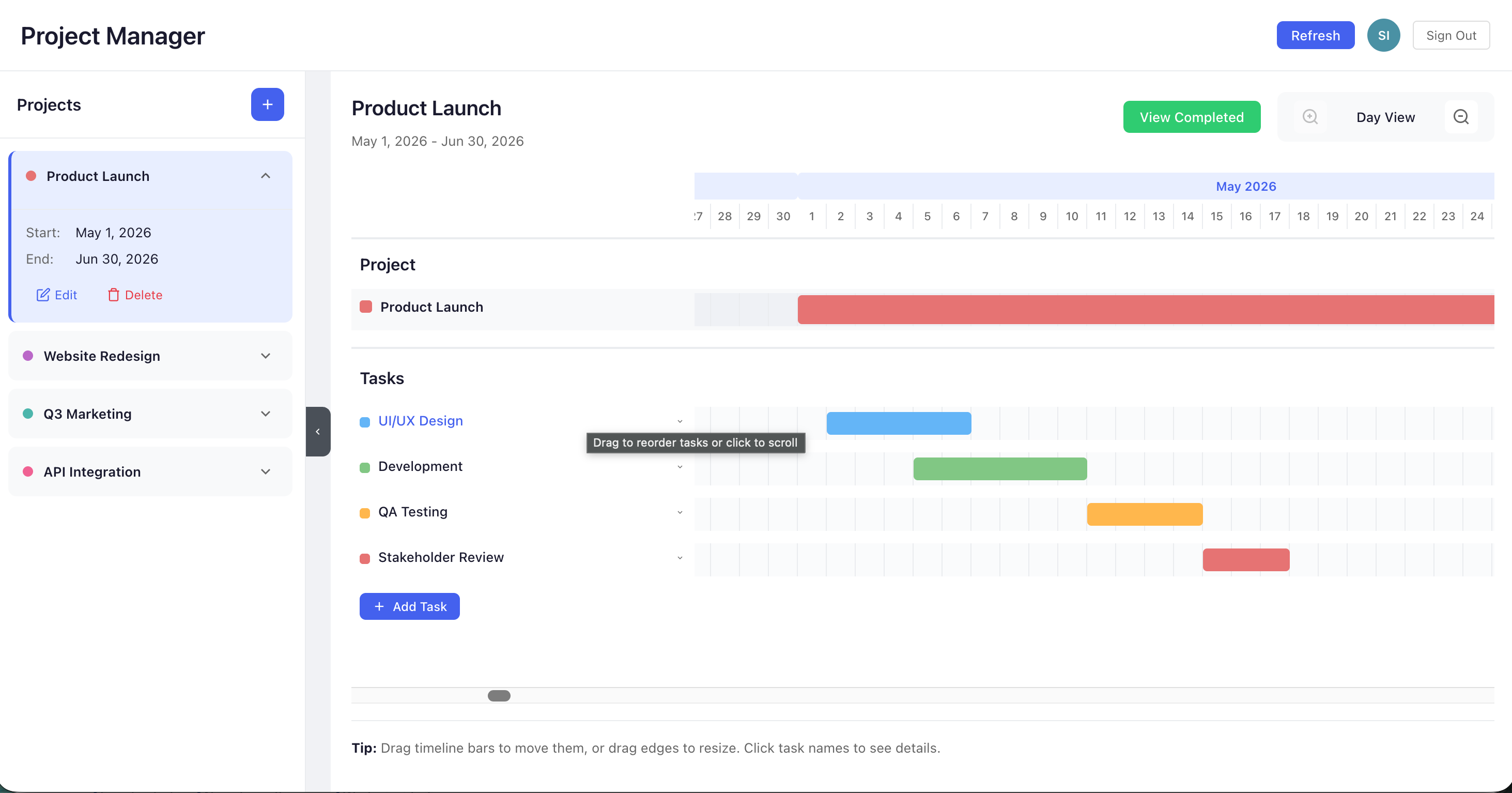
Gantt charts inside Teams

Create, manage, and visualize project timelines without leaving Microsoft Teams. Store everything securely in your SharePoint โ€” no external databases needed.

๐Ÿ“Š
Gantt Charts
Visual timeline for every project and task
๐Ÿ”’
SharePoint Storage
Your data stays in your Microsoft 365 tenant
๐Ÿ‘ฅ
Team Collaboration
Assign subtasks and track progress together
โœ“ Free to start โœ“ No credit card โœ“ Works in Teams & Browser
Project Planner - Gantt Chart View
Features

Everything you need to
manage projects

Simple, powerful tools that work right inside Microsoft Teams.

๐Ÿ“Š

Interactive Gantt Charts

Visualize project timelines with drag-and-drop Gantt charts. See tasks, dependencies, and progress at a glance.

โœ…

Tasks & Subtasks

Break down work into manageable tasks and subtasks. Track completion and keep your team aligned.

๐Ÿ‘ฅ

Team Assignment

Assign subtasks to team members. Everyone knows what they need to do and when.

๐Ÿ”’

SharePoint Storage

All data is stored in your own SharePoint lists. No external databases, no data leaving your tenant.

๐Ÿ”„

Real-time Sync

Changes sync automatically across Teams and browser. Your team always sees the latest updates.

๐ŸŒ

Works Everywhere

Use inside Microsoft Teams (desktop, web) or directly in your browser โ€” same experience everywhere.

100%
Data in your tenant
0
External databases
โˆž
Projects
60s
Auto-sync interval
Pricing

Simple, transparent pricing

Start free, upgrade when you need more.

Free Trial
Try all features free for 30 days
$0 /month
30-day free trial
Get Started
FAQ

Frequently asked
questions

Still have questions?

We're happy to help.

Contact us โ†’
All your project data is stored in SharePoint lists within your own Microsoft 365 tenant. No data leaves your organization.
Yes! You can use Project Planner both inside Microsoft Teams and directly in your web browser with the same experience.
The app requires SharePoint read/write permissions to create and manage project lists. An admin in your organization may need to grant consent.
Yes, there is a free trial for 30 days with full access to all features. After the trial period ends, you'll need to subscribe to a plan to continue using the app.
Contact

Get in touch

Have questions or need help? Reach out and we'll get back to you.

โœ‰๏ธ
๐ŸŒ
Website
infigen.ai
๐Ÿ›’